Workflow for Booking Follow-Ups: A Tattoo Studio Guide
TL;DR:
- Automated follow-up workflows reduce no-shows and improve appointment attendance in tattoo studios. They involve timely reminders, post-visit messages, and recovery texts that build trust and encourage rebooking. Properly built, these systems reflect the studio’s personality and handle errors to maintain reliable communication.
A workflow for booking follow-ups is a systematic, automated process that ensures clients confirm, attend, and rebook appointments reliably. For tattoo artists and studio owners, a structured appointment follow-up process is the difference between a full calendar and a day full of empty chairs. Automated reminders alone reduce no-show rates by about 33%, and studios that combine CRM integration with multi-channel messaging see the strongest results. This guide walks you through every step of building a booking reminder workflow that fits how tattoo studios actually operate.
What tools do you need for a booking follow-up workflow?

The foundation of any effective appointment follow-up process is a scheduling system that connects directly to a client database. Without that connection, reminders go out blind. You need a platform that logs client contact preferences, appointment details, and communication history in one place.
The core tools for a tattoo studio follow-up system fall into three categories:
-
Scheduling and CRM platform: Manages bookings, stores client records, and triggers automated actions when appointments are created or changed. Ink link combines booking management, client records, and calendar tools in one place, so artists and studios do not need to stitch together separate apps.
-
Automated messaging engine: Sends reminders and follow-up messages without manual effort. This can be built into your booking platform or connected via tools like Zapier or Make.
-
Multi-channel delivery: Combining WhatsApp, SMS, and email as fallback options increases confirmation and attendance rates. If a client does not respond to email, an SMS follows automatically.
Data validation and error handling matter more than most studio owners realize. A workflow that crashes on one bad phone number can block reminders for every client in that batch. Per-booking error handling keeps the system running even when individual records have issues.
| Tool category | Core function | Studio benefit |
|---|---|---|
| Booking and CRM platform | Stores client data and triggers workflows | Single source of truth for all appointments |
| Automated messaging engine | Sends reminders and follow-ups on schedule | Removes manual sending from your daily tasks |
| Multi-channel delivery | SMS, email, WhatsApp fallback | Reaches clients on their preferred channel |
| Error handling layer | Catches failures per booking | Prevents one bad record from stopping all sends |
Pro Tip: Before choosing any tool, confirm it lets clients set their preferred communication channel at booking. Sending SMS to someone who only checks email wastes the message and can frustrate clients.
What are the steps of an effective booking follow-up workflow?
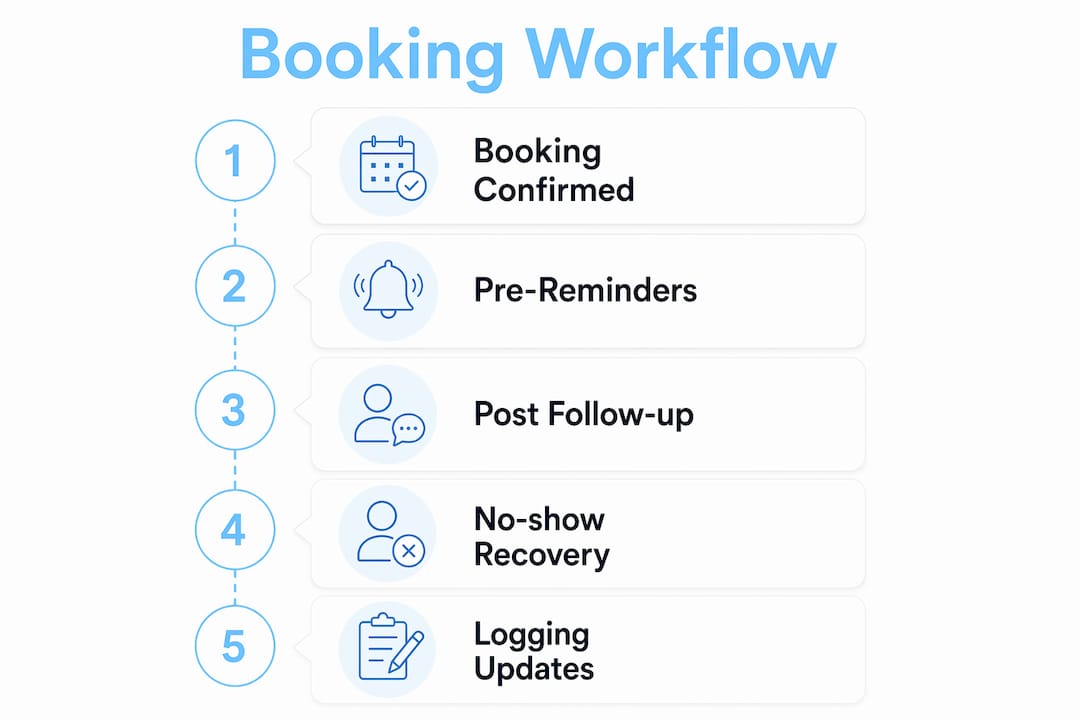
A well-built booking reminder workflow follows a clear sequence. Each step triggers the next, and nothing relies on someone remembering to send a message manually.
Step 1: Booking confirmation
The moment a client books, the system sends an immediate confirmation. This message includes the appointment date, time, artist name, studio address, and any prep instructions specific to tattoo appointments, such as eating beforehand or avoiding alcohol. This step sets expectations and gives clients a record to reference.
Step 2: Pre-appointment reminders
Effective workflows send reminders 24 hours and 1 hour before appointments to minimize scheduling drift. The 24-hour message asks the client to confirm or reschedule. The 1-hour message is a lighter, friendly nudge with directions or parking tips. These two touchpoints cover the two most common windows when clients forget or reconsider.
Step 3: Post-appointment follow-up
Triggered follow-ups must fire within minutes of job completion, since client satisfaction drops rapidly after service. This message thanks the client, shares aftercare instructions, and asks for a review or a next booking. Waiting 24 hours to send this message means missing the peak of the client’s excitement about their new tattoo.
Step 4: No-show recovery
When a client misses an appointment, the system detects the no-show and sends a recovery message within the hour. Automated no-show recovery texts sent within 24 hours get better reschedule rates than delayed manual calls. A simple message like “We missed you today. Want to find a new time?” recovers bookings that would otherwise be lost.
Step 5: Logging and record updates
Every message sent and every client response gets logged automatically in the client record. This gives you a full communication history for each client. When a client calls to ask about their appointment, you can see exactly what was sent and when.
Here is a summary of the full sequence:
-
Booking confirmed. Immediate confirmation message sent with all appointment details.
-
24-hour reminder sent. Confirmation or reschedule request included.
-
1-hour reminder sent. Friendly nudge with directions or last-minute prep tips.
-
Appointment completed. Post-visit follow-up fires within minutes.
-
No-show detected. Recovery message sent within the hour.
-
All actions logged. Client record updated with full communication history.
Pro Tip: Set your post-appointment follow-up to include a direct link to book the next session. Clients who just finished a tattoo are already thinking about their next one. Make it one tap to rebook.
How do you time and write follow-up messages for maximum engagement?
Timing and message content work together. A well-timed message with the wrong tone gets ignored. A great message sent at the wrong moment gets the same result.
Timing strategy
The dual-reminder approach, 24 hours out and 1 hour out, is the standard for reducing no-shows. Common setups use a 25-hour scanning window to capture both reminders in one automated process. This window ensures neither message gets skipped, even for appointments added at the last minute.
Message content by timing
Successful studios differentiate reminder messages by timing, sending confirmation requests 24 hours out and “See you soon” messages closer to the appointment. The 24-hour message needs a clear call to action: confirm or reschedule. The 1-hour message should feel warm and low-pressure, not like another task for the client to complete.
Key principles for message content:
-
Personalize every message. Use the client’s first name and the artist’s name. Generic messages feel like spam.
-
Keep messages short. Three sentences is enough for a reminder. Clients read on their phones.
-
Match the tone to your studio brand. A bold, edgy studio sounds different from a fine-line minimalist studio. Your messages should reflect that.
-
Include one clear action. Confirm, reschedule, or reply. Never ask clients to do two things in one message.
-
Use fallback channels. If email goes unread for 2 hours, trigger an SMS automatically.
Clients who receive a personalized, well-timed reminder are far more likely to confirm and show up. The message content matters as much as the timing. A confirmation request that sounds like a form letter does not build the trust that keeps clients coming back to your studio.
Pro Tip: Test your messages by sending them to yourself first. Read them as a client would. If the tone feels off or the call to action is unclear, fix it before the workflow goes live.
What mistakes should you avoid in a booking follow-up workflow?
Most workflow failures come from a small set of predictable mistakes. Knowing them in advance saves you from rebuilding your system after a bad week of no-shows.
Sending identical messages at different times. Using the same text for your 24-hour and 1-hour reminders trains clients to ignore both. Each message needs a distinct purpose and tone. The 24-hour message asks for confirmation. The 1-hour message says you are ready for them.
Skipping error handling. Reminder workflows must include robust error handling per booking to avoid failures blocking bulk sends. If one client has an invalid phone number, that error should not stop reminders from going out to everyone else. Build in per-booking error handling from the start.
Delaying post-appointment follow-ups. Customer satisfaction peaks immediately post-appointment and decays fast. Waiting until the next day to send aftercare instructions or a review request means missing the window when clients are most engaged and most likely to respond.
Ignoring client communication preferences. Some clients hate phone calls. Others never check email. Asking for preferred contact method at booking and storing that preference in the client record is a basic step that many studios skip entirely.
Missing no-show recovery. Post-visit follow-up automation is significantly underdeployed in service industries, including tattoo studios. A missed appointment is not a lost client. A prompt, friendly recovery message often brings them back within the week.
Pro Tip: Review your workflow logs monthly. Look for patterns in failed sends, unconfirmed appointments, or no-shows that were never recovered. One small fix to your workflow can recover multiple bookings per month.
Key Takeaways
A structured, automated workflow for booking follow-ups is the most reliable way to reduce no-shows, recover missed appointments, and keep clients coming back to your studio.
| Point | Details |
|---|---|
| Automate reminders at two intervals | Send confirmation requests 24 hours out and friendly nudges 1 hour before every appointment. |
| Fire post-visit messages immediately | Client satisfaction peaks right after the appointment, so send aftercare and rebooking prompts within minutes. |
| Build in no-show recovery | An automated text within the hour of a missed appointment recovers bookings that manual follow-up misses. |
| Differentiate message content by timing | Each touchpoint needs a distinct tone and call to action, not the same message sent twice. |
| Log every action in the client record | Full communication history helps you spot patterns and improve your workflow over time. |
What I’ve learned from watching studios automate their follow-ups
Most tattoo artists I talk to resist automation because they worry it will make their studio feel cold or corporate. That concern is real, and worth taking seriously. But the studios that get this right do not replace their personality with automation. They use automation to handle the mechanical parts, so they have more time and energy for the creative work that actually defines their brand.
The biggest mistake I see is studios building a follow-up workflow that sounds like a dentist’s office. Generic, transactional, no warmth. The fix is simple: write your messages in your own voice before you automate them. If your studio has a bold, irreverent personality, your reminder should sound like that. If you specialize in delicate fine-line work and your clients tend to be thoughtful and detail-oriented, your messages should reflect that too.
The second lesson is to start with one step, not the whole system. Build your 24-hour reminder first. Get it working, check the logs, and make sure it sounds right. Then add the 1-hour reminder. Then the post-appointment follow-up. Studios that try to launch a five-step workflow all at once usually end up with something broken and no idea where the problem is.
The third thing I have observed is that no-show recovery is the most underused step in the whole process. Artists often feel awkward reaching out after a missed appointment, like they are chasing someone who did not want to show up. But most no-shows are not intentional. Life happens. A warm, no-pressure message that says “We missed you, want to find a new time?” lands very differently than silence. The clients who rebook after a no-show often become some of the most loyal regulars in the studio.
Automation works best when it reflects the real relationship between an artist and a client. Keep that at the center, and the technology becomes invisible in the best possible way.
— Matthew
How Ink link supports your studio’s follow-up workflow
Tattoo artists and studio owners who want a booking reminder workflow without building one from scratch have a ready option in Ink link.
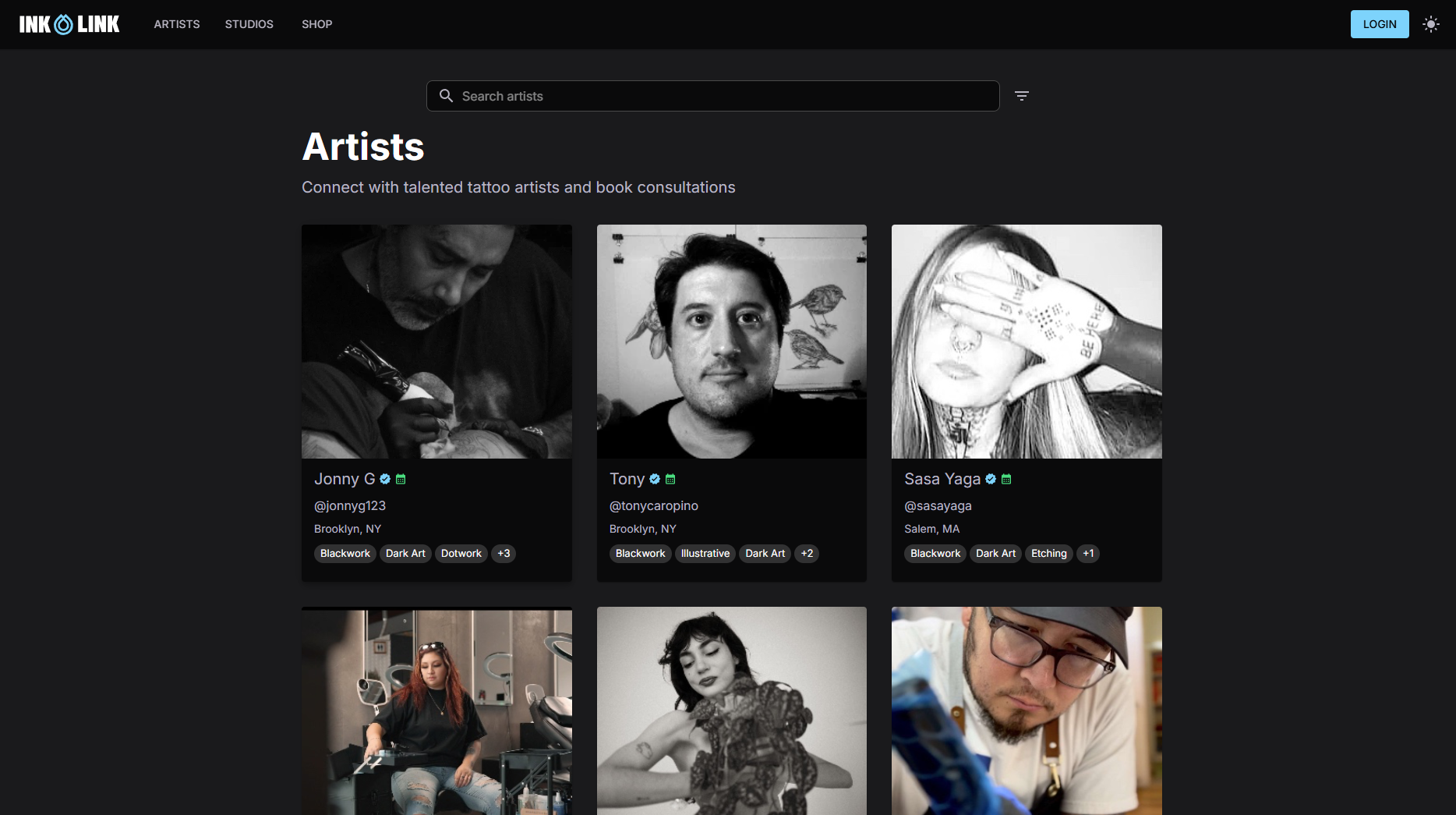
Ink link is built specifically for tattoo and piercing studios. The platform handles bookings, client records, and calendars in one place, so your follow-up workflow has a clean, reliable data foundation from day one. Artists can manage their own appointment pipelines, while studio owners get a shared view across the whole team. Whether you run a solo practice or a multi-artist studio, Ink link gives you the tools to manage your appointment scheduling without juggling separate apps. Check out the platform at Ink link and see how it fits your studio’s workflow.
FAQ
What is a workflow for booking follow-ups?
A workflow for booking follow-ups is an automated sequence of messages and actions that confirms appointments, sends reminders, and follows up after the visit. It runs without manual effort and covers the full client journey from booking to rebooking.
How much do automated reminders reduce no-shows?
Automated appointment reminders reduce no-show rates by about 33%, with SMS reminders cutting non-attendance by an average of 38%. Consistent timing and personalized content push results toward the higher end of that range.
When should post-appointment follow-ups be sent?
Post-appointment follow-ups should fire within minutes of the appointment ending. Client satisfaction peaks immediately after the visit and drops quickly, so a same-day message captures the highest engagement for reviews and rebooking prompts.
How do you handle clients who miss their appointment?
Send an automated recovery text within the hour of the missed appointment. A short, friendly message asking if they want to reschedule recovers a meaningful share of no-shows that would otherwise be lost, and it outperforms delayed manual calls every time.
What communication channels work best for appointment reminders?
SMS delivers the highest open rates for time-sensitive reminders. Combining SMS, email, and messaging apps like WhatsApp as fallback channels reaches clients on their preferred platform and increases overall confirmation rates.