Studio Booking Management for Tattoo Studios: 2026 Guide

TL;DR:
- Effective tattoo studio booking management relies on a centralized system for scheduling, deposits, and automated communications. Implementing these practices reduces no-shows, improves client experience, and streamlines operations for artists and owners.
Studio booking management is the system of organizing client appointments, payments, and studio resources to maximize efficiency and client satisfaction in tattoo studios. For tattoo artists and studio owners, this means far more than a calendar on the wall. It covers appointment scheduling, client communication, deposit collection, and session preparation, all working together to keep your studio running without friction. Industry standards like 48-hour pre-session confirmations and structured deposit policies exist because they measurably reduce no-shows and scheduling disruptions. When your booking system works well, you spend less time chasing clients and more time doing the work you love.
How does an effective studio booking system workflow operate?
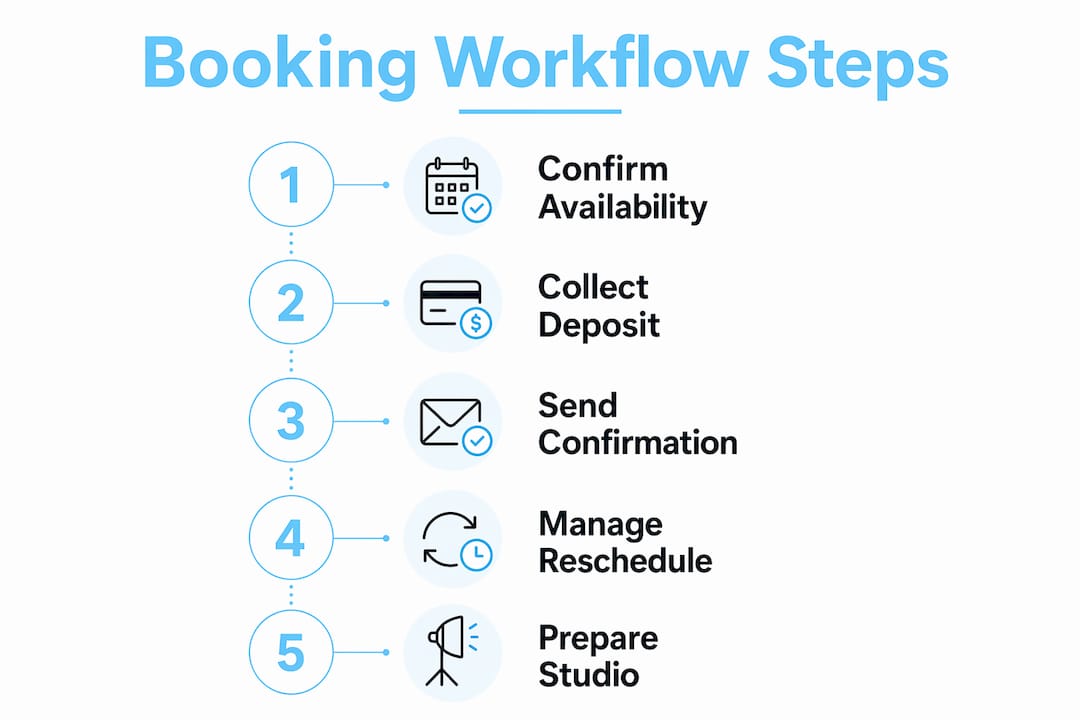
A well-designed studio booking system workflow moves a client from first inquiry to completed session without gaps or confusion. Each step builds on the last, and every handoff is either automated or clearly assigned to a team member.
Here is how a complete workflow looks in practice:
-
Client inquiry and slot selection. The client visits your booking portal and selects an available time slot in real time. A self-service booking portal saves 10–20 minutes of administrative time per booking. It also captures after-hours reservations that would otherwise be lost.
-
Deposit collection at booking. The client pays a deposit to confirm the appointment. Standard payment terms call for a 50% deposit at booking, with the remaining balance due 48 hours before the session. Some studios require full prepayment for short sessions. Either approach locks in commitment and protects your time.
-
Automated booking confirmation. The system sends a written confirmation immediately after booking. This confirmation includes the date, time, location, preparation instructions, and your cancellation policy. Clients who receive this information upfront arrive prepared and ask fewer last-minute questions.
-
Automated reminder 48 hours before the session. A reminder sent 48 hours out gives clients enough time to reschedule if needed, while still holding them accountable. Automated reminders combined with a clear cancellation policy reduce no-shows by up to 30%.
-
Session preparation and buffer time. Your booking template should include 15–30 minutes of built-in buffer time before and after each session. Embedding buffer time in the template automates smooth transitions and prevents rushed setups or equipment issues.
-
Post-session follow-up. After the appointment, the system sends a follow-up message. This might include aftercare instructions, a review request, or a prompt to rebook. Automated follow-ups keep clients engaged without adding to your workload.
Pro Tip: Set your booking portal to show only confirmed-available slots. Never let clients pick times that require manual approval from you. Every extra step in the booking process reduces the chance they complete it.
Handling cancellations and no-shows also belongs in the workflow. Your cancellation policy should be visible at every stage, from the booking page to the confirmation email. Clients who cancel within 24 hours should forfeit their deposit. This is not punitive. It protects the time you set aside for their session.

What key items belong on a studio booking checklist?
A studio booking checklist is a structured list of tasks and confirmations that every appointment must pass through before the session begins. Tattoo studios have specific requirements that general scheduling tools often miss, so building your own checklist pays off quickly.
Your checklist should cover these areas:
-
Appointment details confirmed. Verify the date, time, and studio location in writing. Send this to the client at least 48 hours before the session.
-
Client preparation instructions sent. Tell clients what to wear, whether to eat beforehand, and what to bring. Tattoo sessions require physical preparation that other appointments do not.
-
Consent forms completed. Collect signed consent forms before the client arrives. Digital forms sent in advance save time on the day and create a clear record.
-
Health disclosures reviewed. Confirm any relevant health conditions, allergies, or medications that could affect the session. This protects both the client and the artist.
-
Payment and deposit verified. Check that the deposit has cleared and that the remaining balance arrangement is confirmed. Booking software with integrated payment processing makes this automatic.
-
Equipment and setup confirmed. Verify that the correct station, equipment, and supplies are ready for the specific type of work booked.
-
Cancellation policy acknowledged. The client should have confirmed in writing that they understand your cancellation terms. This removes ambiguity if a dispute arises later.
-
Buffer time built in. Check that the booking includes setup and cleanup time on both ends of the session.
-
Artist availability confirmed. Cross-check the artist’s schedule against the centralized calendar to rule out double-bookings.
Pro Tip: Turn your checklist into a digital form that auto-populates from the booking data. You should never be manually copying a client’s name, date, or deposit amount from one place to another.
Allowing clients to visit your studio before booking also belongs in your pre-session process. An in-person or virtual walkthrough surfaces details that photos miss, including cleanliness, noise levels, and power access. Studios that skip this step risk poor client satisfaction from mismatched expectations.
What are the best practices and common pitfalls in tattoo studio booking?
Effective booking management in tattoo studios comes down to clear policies, consistent tools, and disciplined habits. The most common pitfalls are avoidable with the right setup.
“The most impactful practice is to maintain a single, centralized calendar. Multiple parallel methods, such as a paper book, a phone calendar, and a shared spreadsheet, cause scheduling errors that erode client trust and cost real revenue.”
Here are the practices that separate well-run studios from chaotic ones:
-
Use one calendar for everything. A single source of truth for all artists, rooms, and resources eliminates double-bookings. Every booking, block, and change must live in one place.
-
Write down your cancellation policy. A policy that charges 50% for cancellations made 24–48 hours out, and 100% for cancellations under 24 hours, gives you a defensible position when disputes arise. Post it on your booking page, in your confirmation email, and in your studio. Real-world examples like cancellation policy templates from established tattoo parlors show how this looks in practice.
-
Set minimum booking durations. Accepting 30-minute bookings for work that realistically takes 90 minutes creates a cascade of delays. Set minimums that reflect actual session lengths, including setup and cleanup.
-
Avoid manual follow-up messages. Automated communications can replace 90% of manual messaging. Confirmations, reminders, check-in instructions, and follow-ups should all run without staff intervention.
-
Track your utilization rate. Know what percentage of your available booking slots are actually filled each week. Low utilization points to pricing, visibility, or workflow problems. High utilization with frequent no-shows points to a policy problem.
-
Offer studio walkthroughs. Studios that refuse in-person or virtual walkthroughs miss a critical trust-building step. Clients who have seen the space before their appointment cancel less often and arrive more confident.
An efficient tattoo studio workflow also depends on clear role assignments. When every team member knows who handles bookings, who manages payments, and who sends follow-ups, nothing falls through the cracks.
How can technology improve your studio reservation system?
Booking management software is the single biggest operational upgrade most tattoo studios can make. The right platform replaces scattered tools with one connected system.
Here is what to look for when evaluating booking technology for your studio:
Real-time calendar synchronization
Your booking system must update availability the moment a slot is taken. Stale calendars cause double-bookings, and double-bookings damage client relationships faster than almost any other mistake. Real-time sync also means artists can check their own schedules from anywhere without calling the front desk.
Integrated payment processing
Collecting deposits and final payments inside the booking flow removes a major friction point. Clients who pay at the time of booking are far less likely to cancel. Platforms with synchronized payments and availability improve cash flow and reduce the number of unpaid sessions.
Automated client communications
Confirmation emails, 48-hour reminders, aftercare instructions, and review requests should all trigger automatically. Full automation of client messaging keeps clients informed and cuts the administrative load on your team substantially.
Client self-service portal
A self-service portal lets clients book, reschedule, and pay without contacting you directly. This is especially valuable for after-hours bookings. A well-designed client portal enables full self-service booking and payment without staff involvement, and it logs attendance automatically.
Pro Tip: Before choosing any booking platform, test the client-facing booking flow yourself on a mobile device. If it takes more than three taps to confirm a slot and pay a deposit, your clients will abandon it.
Smart access and remote management
Studios with multiple artists or locations benefit from platforms that support remote management. Owners can view all bookings, payments, and artist schedules from a single dashboard without being physically present. This is especially useful for role distribution across studio teams, where different staff members need different levels of access.
The right booking management software does not just save time. It creates a more professional client experience, reduces revenue lost to no-shows, and gives you data to make better decisions about pricing and scheduling.
Key Takeaways
Effective studio booking management requires a centralized calendar, automated client communications, structured deposit policies, and a clear cancellation policy enforced consistently from the first booking to the final follow-up.
| Point | Details |
|---|---|
| Centralized calendar | Use one calendar for all artists and rooms to prevent double-bookings and scheduling errors. |
| Deposit at booking | Collect a 50% deposit when the client books to reduce no-shows and protect your time. |
| Automated confirmations | Send written confirmations and 48-hour reminders automatically to cut manual follow-up work. |
| Built-in buffer time | Embed 15–30 minutes of buffer time in every booking template to prevent rushed sessions. |
| Written cancellation policy | Post your cancellation terms on the booking page, in confirmations, and in the studio to avoid disputes. |
Why most tattoo studios are one system away from running smoothly
I have spent a lot of time talking with tattoo artists and studio owners about how they manage their bookings. The pattern I see most often is not a lack of effort. It is a lack of consolidation. Artists are juggling a DM inbox, a personal phone calendar, a paper deposit log, and a group chat with their studio mates, all at once. Every one of those tools works fine in isolation. Together, they create a system where things fall through the cracks constantly.
The studios that run well are not necessarily the busiest or the most expensive. They are the ones that picked one system and committed to it. A centralized booking platform with automated confirmations and integrated payments is not a luxury for large studios. It is the baseline for any artist who wants to spend their energy on the work rather than the admin.
What I find most interesting is how much client behavior changes when the booking process is clean. Clients who go through a professional booking flow, with a clear deposit request, a written confirmation, and a timely reminder, show up differently. They arrive on time, they come prepared, and they cancel less. The system shapes the client experience before the artist ever picks up a machine.
My honest advice: do not wait until you have a full roster to build a proper booking system. Set it up when you have five clients a week. The habits you build early are the ones that scale.
— Matthew
Ink link makes tattoo studio booking simple
Running a tattoo studio means your focus should be on your art and your clients, not on chasing deposits or sending manual reminders.
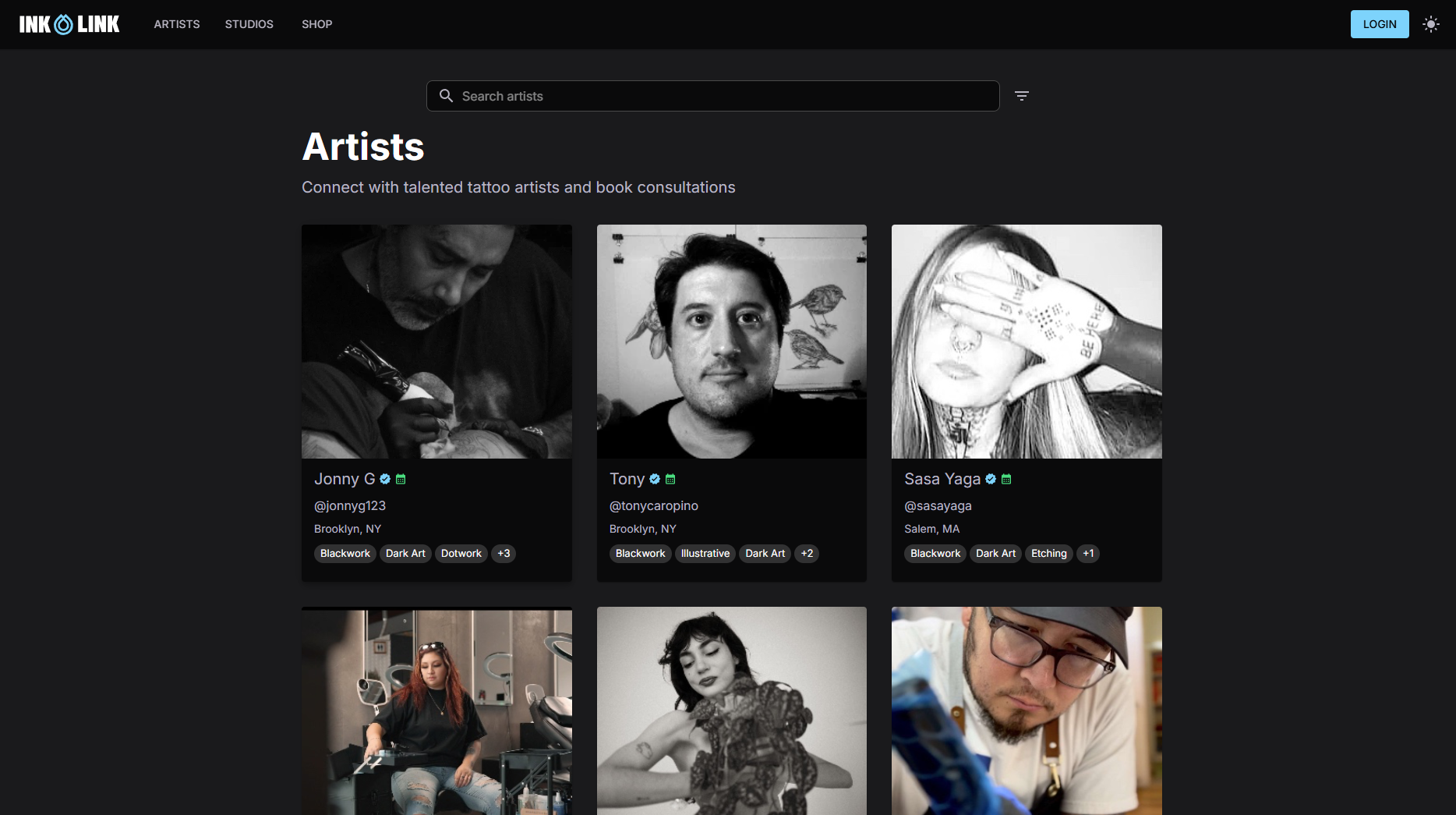
Ink link gives tattoo artists and studio owners a single platform to manage appointments, collect deposits, send automated confirmations, and track client records. The studio features on Ink link are built specifically for the tattoo industry, covering everything from shared team calendars to client self-service booking. Whether you run a solo practice or a multi-artist shop, Ink link fits the way tattoo studios actually work. See how a real studio uses the platform by browsing the Old Traditions Tattoo Parlor profile, then set up your own.
FAQ
What is studio booking management for tattoo studios?
Studio booking management is the process of organizing client appointments, collecting deposits, sending confirmations, and managing artist schedules in one connected system. For tattoo studios, it also covers consent forms, health disclosures, and session preparation.
How do I reduce no-shows at my tattoo studio?
A written cancellation policy combined with automated 48-hour reminders reduces no-shows by up to 30%. Collecting a deposit at the time of booking adds a second layer of commitment from the client.
What should a tattoo studio booking confirmation include?
A professional booking confirmation includes the appointment date, time, location, preparation instructions, and your cancellation policy. Sending this at least 48 hours before the session reduces misunderstandings and last-minute cancellations.
How much deposit should a tattoo studio collect?
The standard is a 50% deposit at the time of booking, with the remaining balance due 48 hours before the session. Short sessions may require full prepayment to make the deposit worth collecting.
What features should I look for in tattoo studio booking software?
Look for real-time calendar synchronization, integrated payment processing, automated client messaging, and a client self-service portal. These four features cover the majority of administrative work that currently takes up artist and studio manager time.