Studio Appointment Reminder Workflow for Tattoo Studios

TL;DR:
A studio appointment reminder workflow automates client notifications to reduce no-shows and save staff hours.
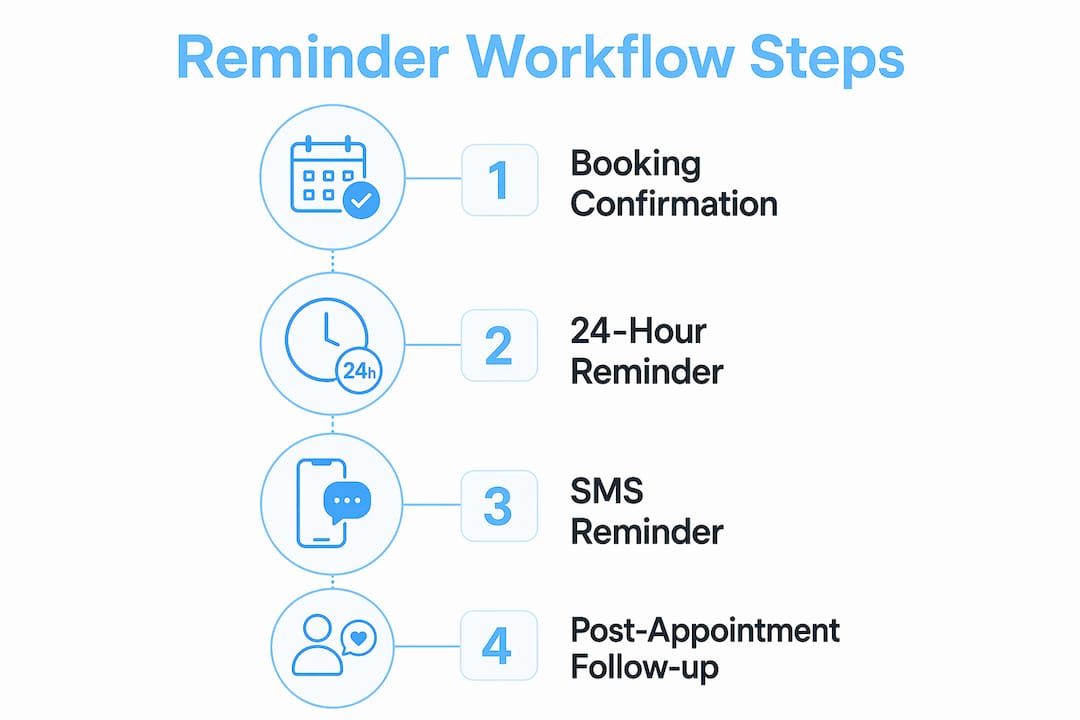
It includes four core touchpoints: booking confirmation, 24-hour reminder, 1–2 hour SMS, and post-appointment follow-up.
A studio appointment reminder workflow is an automated sequence of client notifications that confirms bookings, reduces no-shows, and frees your staff from manual follow-up calls and texts. For tattoo studios, where a missed appointment means lost revenue and wasted artist time, this kind of automation is not optional. It is the backbone of a well-run appointment scheduling system. The industry standard for reminder sequences uses SMS, email, and calendar integrations like Google Calendar APIs to deliver the right message at the right time. A 3-touchpoint automated sequence can reduce no-show rates by 30% to 70%, saving studios roughly 624 staff hours per year. That is time your team can spend on clients, not chasing confirmations.

What does an effective studio appointment reminder workflow include?
The four core touchpoints of a reliable reminder workflow are a booking confirmation, a 24-hour reminder, a 1–2 hour SMS reminder, and a post-appointment follow-up. Each touchpoint serves a different purpose, and skipping any one of them creates a gap where clients fall through. The most effective reminder sequence delivers the booking confirmation within 2 minutes of scheduling, which sets the professional tone immediately.
The four touchpoints explained
1. Booking confirmation (within 2 minutes) Send this the moment a client books. Include the artist’s name, date, time, studio address, and a cancellation link. This message doubles as a receipt and reduces confusion about appointment details.
2. 24-hour reminder with confirmation request Send this the day before the appointment. Ask the client to confirm attendance by tapping a trigger link, not by replying with a specific word. Trigger links are more reliable than text parsing and avoid errors when clients reply with unexpected phrasing.
3. 1–2 hour SMS reminder This is the highest-impact touchpoint. SMS carries a 95%+ open rate, meaning almost every client sees this message. Keep it short: the appointment time, studio name, and a cancellation link if they need to bail.
4. Post-appointment follow-up Send this roughly 4 hours after the appointment. A rebooking nudge via email sent shortly after the session capitalizes on client enthusiasm and converts one-time visitors into regulars. Include a direct booking link.
Timing logic: relative vs. fixed delays
The single biggest technical decision in your client reminder workflow is how you calculate when to send each message. Fixed delays count from the moment of booking. Relative timing counts backward from the appointment start time. Relative timing based on appointment start is the correct approach. It handles both long-term bookings and same-day bookings without sending reminders out of order or at the wrong time.
Pro Tip: Always include a cancellation link in every reminder. Clients who want to cancel but cannot find an easy way to do so simply ghost you. A one-tap cancellation link recovers that slot faster than any follow-up call.
Which tools support building reminder workflows for tattoo studios?
The right platform depends on how much technical setup you want to handle and how tightly it needs to connect with your existing calendar. Three categories of tools cover most tattoo studio needs: all-in-one CRM platforms, messaging APIs, and purpose-built booking software.
Platform comparison
| Platform | SMS/Email | Calendar sync | Tagging and branching | Ease of setup |
|---|---|---|---|---|
| GoHighLevel | Both | Google Calendar API | Yes, full logic | Moderate |
| Twilio Studio | SMS/email via API | Custom integration | Yes, developer-built | Advanced |
| ZiFlow | Both | Built-in | Basic | Easy |
| Ink link | Both | Built-in | Yes | Easy |
GoHighLevel is the most widely used CRM for service businesses running automated reminder sequences. It supports trigger links, wait step logic, tagging, and both SMS and email channels. The learning curve is real, but the workflow builder is thorough.
Twilio Studio gives you the most control. You build flows visually, connect to any calendar via API, and handle branching logic exactly how you want. The tradeoff is that you need developer time to set it up and maintain it.
ZiFlow is a newer option designed for service businesses. It automates appointment booking with calendar syncing and sends reminders at 24 hours and 1 hour before the appointment. It also supports human verification for deposits, which is useful for tattoo studios that require a deposit to hold a slot.
Architecture also matters at scale. Systems that decouple scheduling logic from execution logic prevent delivery failures when multiple reminders fire at the same time. Tools built on AWS EventBridge Scheduler or queue-based designs handle this automatically.
Key features to look for in any platform:
-
API access for calendar integration with Google Calendar or iCal
-
Wait step logic that calculates timing relative to appointment start
-
Trigger links for one-tap client confirmations
-
Tagging capabilities to prevent duplicate messages
-
SMS and email templates with character count controls
-
Cancellation handling that updates the calendar in real time
Pro Tip: Before committing to any platform, test the cancellation flow end to end. A reminder system that cannot handle a cancellation gracefully creates more chaos than it solves.
How to set up a studio appointment reminder workflow step by step
Setting up your workflow automation for appointments takes focused effort upfront, but once it runs, it runs without you. Follow these steps in order.
Step 1: Define your booking trigger and connect your calendar Your workflow starts the moment a client books. Connect your appointment scheduling system to your platform via Google Calendar API or a native integration. Every new booking event should fire the workflow automatically. Test this connection before building anything else.
Step 2: Configure the booking confirmation message Set this to send within 2 minutes of booking. Write the message to include the artist name, appointment date and time, studio address, deposit status, and a cancellation link. Keep the SMS version under 160 characters to avoid multi-segment charges. Use email for the longer version with full details.
Step 3: Add the 24-hour reminder with a confirmation request Set a wait condition timed to 24 hours before the appointment start, not 24 hours after booking. Include a trigger link the client taps to confirm. When they tap it, the workflow tags them as confirmed and skips redundant follow-ups. This tagging step is what keeps your studio booking reminders clean and non-annoying.
Step 4: Set the 1–2 hour SMS reminder This message fires 1–2 hours before the appointment. Keep it brief: “Hey [Name], your tattoo appointment with [Artist] is in 1 hour at [Studio]. Need to cancel? [Link].” That is it. No fluff, no upsell. The goal is a last-chance nudge, not a newsletter.
Step 5: Configure the post-appointment follow-up Set this to send 4 hours after the scheduled end time. Use email for this one. Thank the client, share aftercare instructions, and include a direct link to rebook. Post-appointment follow-ups timed shortly after the session significantly increase rebooking rates by catching clients while the experience is still fresh.
Step 6: Add a safeguard branch for last-minute bookings A client who books 3 hours before their appointment should not receive a 24-hour reminder. Add a safeguard branch that skips the 24-hour reminder when the booking window is under 24 hours. This one rule prevents a lot of confused and annoyed clients.
Step 7: Test and monitor Run a test booking through the entire workflow before going live. Check every message for timing, content, and link functionality. After launch, track no-show rates weekly. Adjust timing or message copy if confirmation rates are low.
What are common mistakes in appointment reminder workflows?
Most reminder workflow failures come from a small set of repeatable mistakes. Knowing them in advance saves you hours of troubleshooting.
-
Using fixed delays instead of relative timing. A workflow that waits “24 hours after booking” sends the reminder at the wrong time for most clients. Always anchor wait conditions to the appointment start time.
-
Skipping tagging rules. Without tags, a client who books and then reschedules can receive duplicate reminders for both appointments. Well-designed tagging prevents overlapping communications and keeps clients from feeling spammed.
-
Writing SMS messages over 160 characters. Carriers split long messages into multiple segments and charge for each one. Keep every SMS tight.
-
Relying on automated webhooks for deposit confirmation. Webhooks can fail silently. Verify deposits manually or use a platform that flags unconfirmed deposits for human review.
-
Over-automating client communication. Automation handles repetitive admin tasks, but it should not replace every human touchpoint. A quick personal message from the artist before a large piece builds trust that no automated sequence can replicate.
-
Never reviewing workflow performance. Track no-show rates before and after launch. If your rate does not drop, the workflow has a gap. Check confirmation tap rates on your 24-hour reminder first.
“The goal of automation is not to remove the human from the process. It is to remove the tedious parts so the human can show up fully for the parts that matter.”
Key Takeaways
A well-built studio appointment reminder workflow reduces no-shows by 30% to 70% and saves hundreds of staff hours per year by automating four core touchpoints with relative timing, tagging logic, and clear cancellation paths.
| Point | Details |
|---|---|
| Use relative timing | Anchor all wait steps to the appointment start time, not the booking time. |
| Four touchpoints are the standard | Confirmation, 24-hour reminder, 1–2 hour SMS, and post-appointment follow-up cover the full client journey. |
| Tagging prevents duplicate messages | Tag confirmed clients to skip redundant reminders and avoid annoying your best regulars. |
| Keep SMS under 160 characters | Longer messages split into multiple segments and increase your messaging costs. |
| Post-appointment follow-ups drive rebooking | Sending a rebooking link 4 hours after the session converts one-time clients into loyal regulars. |
Why I think most studios are leaving money on the table with reminders
Most tattoo studios I talk to have some version of a reminder system. They send a text the day before. Maybe an email confirmation. But the gap between “some reminders” and a real studio appointment management system is where the money lives.
The studios that see the biggest drop in no-shows are not the ones with the fanciest software. They are the ones that got the timing logic right. Relative timing sounds like a small technical detail, but it is the difference between a client getting a 24-hour reminder at 2 a.m. and getting it at a reasonable hour the day before. That detail alone changes how clients respond.
The other thing I have seen studios underestimate is the post-appointment message. Most workflows stop at the appointment. The follow-up email sent 4 hours after the session, with a personal thank-you and a rebooking link, is the highest-return message in the entire sequence. It costs nothing extra to send and it catches clients at exactly the right emotional moment.
My honest advice: do not try to build the perfect workflow on day one. Start with the booking confirmation and the 1–2 hour SMS. Get those right. Then add the 24-hour reminder with a confirmation link. Then add the post-appointment follow-up. Build in layers, test each one, and you will have a system that actually works within a few weeks.
The studios on Ink link that use built-in reminder automation consistently report fewer last-minute cancellations and more repeat bookings. That is not a coincidence. It is the compound effect of consistent, well-timed communication.
— Matthew
How Ink link helps you build this workflow without the headache
Running a tattoo studio means your energy belongs on the art, not on chasing confirmations. Ink link is built for exactly this. The platform connects your studio calendar, your artists’ schedules, and your client records in one place, with SMS and email reminders built in.
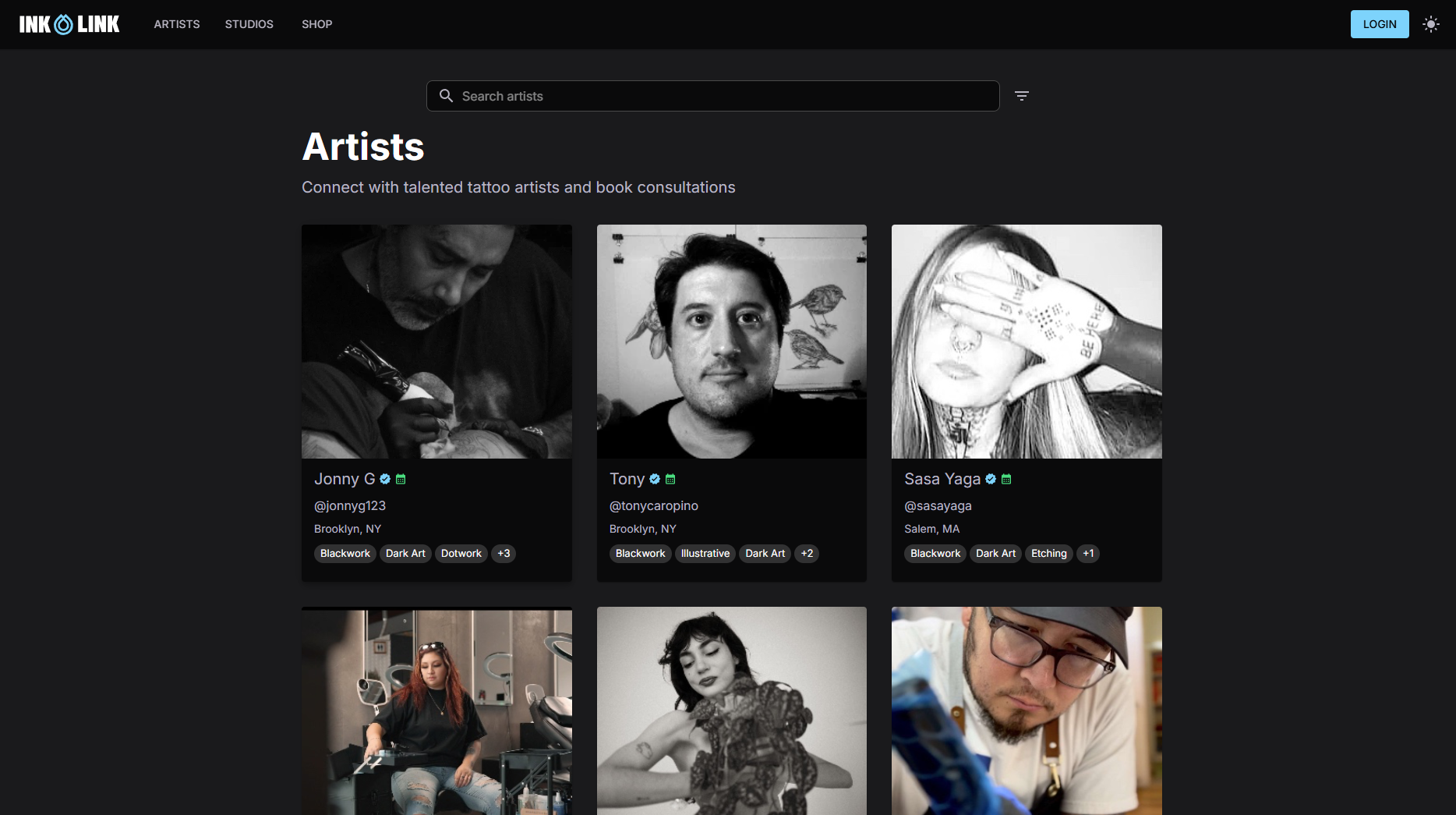
Studios like Riders on the Storm Tattoo Art Shop use Ink link to manage bookings, automate client notifications, and keep their artists focused on their craft. You get the full reminder sequence, calendar sync, and cancellation handling without building anything from scratch. If you are ready to cut no-shows and reclaim your staff’s time, explore Ink link and see how it fits your studio.
FAQ
What is a studio appointment reminder workflow?
A studio appointment reminder workflow is an automated sequence that sends clients booking confirmations, pre-appointment reminders, and post-appointment follow-ups without manual staff effort. It typically includes four touchpoints timed relative to the appointment start.
How much can reminders reduce no-shows?
A 3-touchpoint automated reminder sequence can reduce no-show rates by 30% to 70%, saving studios approximately 624 staff hours per year based on a reduction of 12 manual follow-up hours weekly.
Should I use SMS or email for appointment reminders?
Use both. SMS carries a 95%+ open rate and works best for the 1–2 hour reminder. Email works better for the booking confirmation and post-appointment follow-up, where longer content and links are needed.
How do I handle last-minute bookings in my reminder workflow?
Add a safeguard branch that checks whether the booking was made less than 24 hours before the appointment. If it was, skip the 24-hour reminder and send only the 1–2 hour SMS to avoid sending redundant messages.
What is the best timing for a post-appointment follow-up?
Send the post-appointment follow-up 4 hours after the session ends. This timing catches clients while the experience is still fresh and significantly improves rebooking rates compared to follow-ups sent days later.