Collaboration Booking for Tattoo Studios: 2026 Guide
TL;DR:
- Collaboration booking centralizes resource scheduling to prevent conflicts and streamline appointment confirmations. It maps all assets in real-time, automatically blocking overlapping bookings and improving efficiency. Even small tattoo studios benefit from reduced coordination time and higher client confirmation rates.
Collaboration booking is a centralized scheduling method that lets tattoo artists and studio owners reserve multiple staff members, rooms, and equipment within a single, conflict-free appointment. Unlike standard single-slot booking, this approach checks the real-time availability of every required resource simultaneously before confirming anything. A client booking a large custom piece, for example, can be matched with a lead artist, an apprentice, and a private room in one transaction. That is what collaboration booking delivers, and it is quickly becoming the standard for studios that want fewer scheduling headaches and more time focused on the work itself.
What is collaboration booking and how does it work?
Collaboration booking is defined as a centralized reservation system that simultaneously checks the availability of multiple resources before confirming any appointment. The industry term for the broader practice is collaborative scheduling, and the two phrases are used interchangeably across booking platforms. What sets it apart from a basic calendar app is the logic underneath: every resource, whether a person, a room, or a piece of equipment, is mapped into the system, and no booking goes through unless all required resources are free at the same time.
Smart resource mapping
Smart resource mapping integrates every room, piece of equipment, and artist as a mapped resource to coordinate real availability instead of theoretical calendar entries. In a tattoo studio, that means Station B, the autoclave, and the artist who specializes in fine-line work are all treated as bookable assets with their own availability windows. When a client requests an appointment, the system cross-references all three at once. If any one of them is unavailable, the booking is blocked automatically or the system suggests the next open slot that fits all three.

This is the core difference between collaborative scheduling software and a shared Google Calendar. A calendar shows you what is on the schedule. A collaboration booking tool enforces hard constraints, meaning it blocks overlapping appointments automatically rather than relying on a human to catch the conflict. Studios that rely on manual checks are prone to double bookings, especially during busy periods when multiple staff members are taking requests at the same time.
How a typical tattoo studio booking flows
Here is how a collaboration booking session works in practice for a mid-size tattoo studio:
-
A client selects a sleeve consultation with two artists and requests a private room.
-
The system checks all three resources simultaneously against the live calendar.
-
If the private room is booked, the system flags the conflict and offers the next available three-way slot.
-
Once all resources are confirmed free, the appointment locks and all parties receive automatic notifications.
-
Deposits or consent form requirements can be attached to the confirmation automatically.
Pro Tip: Set up your resource categories before you configure any booking rules. Artists, stations, and rooms should each live in their own category so the system can check them independently and in combination.
What are the key benefits of collaboration booking tools for tattoo studios?
Automated collaboration booking systems can reduce coordination time by up to 90% and push client confirmation rates to 95%, compared to roughly 60% with manual scheduling methods. That gap is significant for a studio running five or more artists. Every percentage point of confirmation rate translates directly into fewer empty chairs and more predictable revenue.
The benefits extend well beyond speed. Collaboration booking tools change how a studio operates day to day, and the effects are felt by both the team and the clients walking through the door.
Operational benefits for studios
-
No more double bookings. Hard constraints in the system block conflicting appointments before they are confirmed, not after.
-
Better resource use. Stations, private rooms, and shared equipment get assigned only when needed, reducing idle time across the floor.
-
Faster scheduling. Teams using live calendar overlays finalize appointment times four times faster than studios relying on back-and-forth phone calls or email threads.
-
Team transparency. Every artist sees the live schedule, which cuts down on the “who has the room at 2pm?” conversations that eat into the workday.
-
Scalable coordination. Adding a guest artist for a weekend event does not require rebuilding the whole schedule. You add them as a resource and the system handles the rest.
Client experience benefits
Clients book with confidence when they can see real availability rather than waiting for a studio to call back and confirm. Visual availability tools increase adoption rates and reduce no-shows by enabling clients to make better scheduling decisions upfront. A client who picks their own slot, sees it confirmed instantly, and receives an automatic reminder is far less likely to ghost the appointment. That outcome matters for every studio, regardless of size.
Small studios benefit immediately from consolidating staff, equipment, and room management into a single live system. The idea that collaborative scheduling software is only for large operations is a misconception. A two-artist shop with one private room and shared equipment has just as much to gain from conflict-free booking as a ten-chair studio does.
How to set up a collaboration booking system in your tattoo studio
Setting up a shared booking system typically takes about one week when approached in structured phases. The process breaks down into four clear steps, and skipping any one of them is the most common reason studios abandon their new system within the first month.
Step 1: Audit your resources
Before you touch any software, list every bookable asset in your studio. That means every artist, every station, every private room, and any shared equipment like autoclaves or lighting rigs. Group them into standard categories: Staff, Stations, Rooms, Equipment. This audit is the foundation of your entire system. Trying to configure rules and software simultaneously leads to failed setups within 30 days, so do the audit first and do it thoroughly.
Step 2: Define your booking policies
Decide which resources must be reserved together and which can be booked independently. A walk-in flash appointment might only need an artist and a station. A custom sleeve consultation might require two artists, a private room, and a two-hour minimum block. Write these policies down before you configure anything. Clear policies make the configuration step straightforward, and they give your team a reference point when edge cases come up.
Step 3: Configure your collaboration booking platform
-
Enter each resource into the system under its correct category.
-
Set availability windows for each resource, including artist working hours and room cleaning buffers.
-
Build your service types and attach the required resources to each one.
-
Enable hard constraints so the system blocks conflicts automatically rather than flagging them for manual review.
-
Keep resource descriptions short and direct. A label like “Station A, adjustable chair, ring light” is enough. Users need clarity within 30 seconds, not a detailed manual.
Step 4: Test and launch with mobile in mind
Run test bookings across every service type before going live. Check that conflicts are blocked correctly and that notifications fire for all parties. Pay close attention to the mobile experience. A booking flow that takes longer than 30 seconds on a phone will lose clients before they reach the confirmation screen. Once testing passes, launch and brief your team on how the system handles requests, changes, and cancellations.
Pro Tip: Ask one artist and one client to complete a test booking on their phones before you go live. Real users find friction points that internal testing misses every time.
Collaboration booking vs. traditional scheduling: how do they compare?
Traditional scheduling in tattoo studios relies on phone calls, text threads, paper appointment books, and spreadsheets. Each method works in isolation, but none of them talk to each other. An artist confirms a booking by text, a studio manager logs it in a spreadsheet, and the private room gets double-booked because nobody updated the shared calendar. That sequence plays out in studios every week.
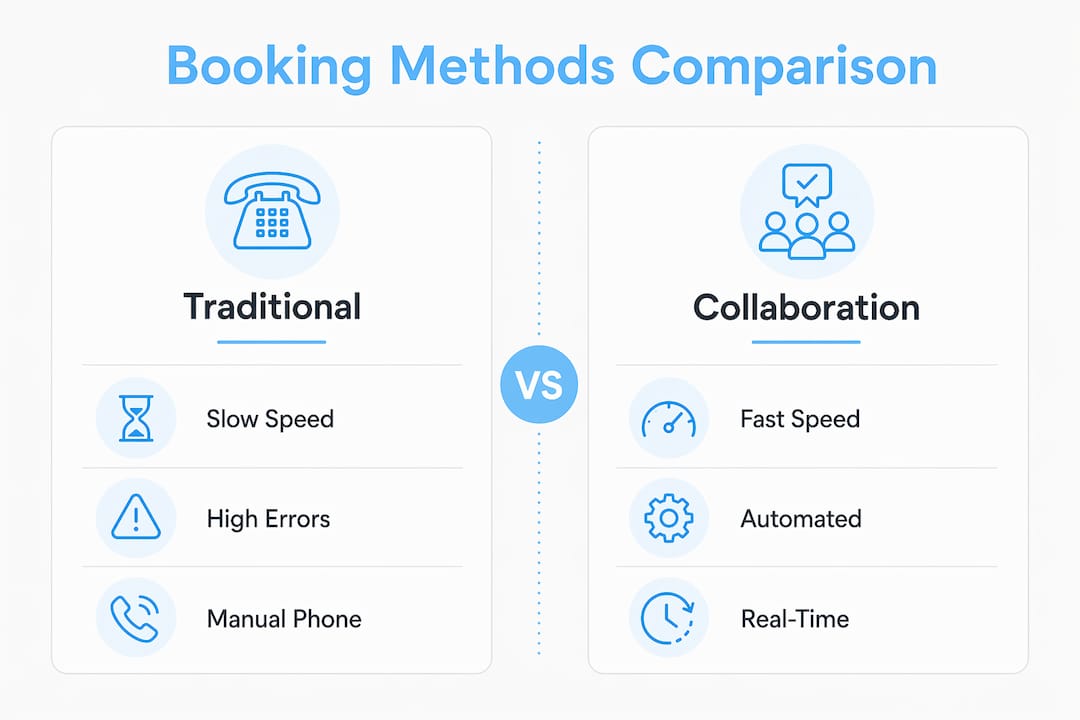
The table below shows how collaboration booking platforms stack up against traditional methods across the factors that matter most to studio owners.
| Factor | Traditional scheduling | Collaboration booking |
|---|---|---|
| Booking speed | Slow, requires multiple back-and-forth messages | Fast, confirmed in one transaction |
| Double booking risk | High, relies on manual checks | Low, hard constraints block conflicts automatically |
| Resource visibility | Fragmented across texts, calls, and spreadsheets | Centralized in one live system |
| Client confirmation rate | Around 60% with manual follow-up | Up to 95% with automated confirmation |
| Team transparency | Low, each artist manages their own calendar | High, all staff see the same live schedule |
| Setup requirements | None, but ongoing management is labor-intensive | One-week setup, then largely self-managing |
The comparison makes one thing clear: traditional methods are not cheaper. They trade upfront setup time for ongoing coordination labor, and that labor compounds as a studio grows. A studio with three artists spending 30 minutes each per day on scheduling coordination loses meaningful time every week that could go toward client work or creative development.
A common objection is that booking software is built for large operations. That objection does not hold up. The “one place to manage it all” approach works for any studio size, and the coordination savings are proportionally just as valuable for a small shop as for a large one.
Key Takeaways
Collaboration booking is the most direct way for tattoo studios to eliminate double bookings, reduce coordination time, and give clients a faster, more reliable appointment experience.
| Point | Details |
|---|---|
| Core definition | Collaboration booking simultaneously checks all required resources before confirming any appointment. |
| Smart resource mapping | Every artist, station, and room must be mapped in the system to prevent real conflicts, not just calendar overlaps. |
| Setup sequence matters | Audit resources before configuring software to avoid system failures within the first 30 days. |
| Small studios benefit too | Even a two-artist shop gains immediate operational clarity by consolidating scheduling into one live system. |
| Confirmation rates improve | Automated systems push client confirmation rates to 95%, compared to 60% with manual scheduling methods. |
Why I think most studios wait too long to make the switch
Studios that resist collaboration booking usually cite one of two reasons: they think their operation is too small to need it, or they assume the setup is too complicated to be worth the effort. I have seen both assumptions cost studios real money.
The “too small” argument falls apart the moment you have more than one artist sharing a room or a piece of equipment. That is the exact scenario where manual coordination breaks down. One missed text, one spreadsheet that did not get updated, and you have two clients showing up for the same station at the same time. That situation damages client trust in a way that takes months to repair.
The setup concern is more understandable, but the one-week framework described above is genuinely achievable. The operational audit is the hardest part, and it is hard only because most studios have never written down their resources in a structured way. Once that list exists, the configuration follows naturally.
The detail I find most studios overlook is resource description length. Owners want to be thorough, so they write long descriptions for every station and room. That thoroughness slows clients down at the booking screen. Short labels like “Station C, reclining chair, natural light” get the job done. Clients need enough information to choose, not a full equipment inventory.
My honest recommendation: do the audit this week, even if you are not ready to pick a platform yet. Knowing exactly what you have to manage is the clearest possible starting point, and it makes every subsequent decision faster.
— Matthew
How Ink link makes collaboration booking work for your studio
Ink link is built specifically for tattoo artists and studios that need more than a basic calendar. The platform handles multi-artist scheduling and resource coordination in one place, so you can manage bookings, payments, and client records without switching between tools.
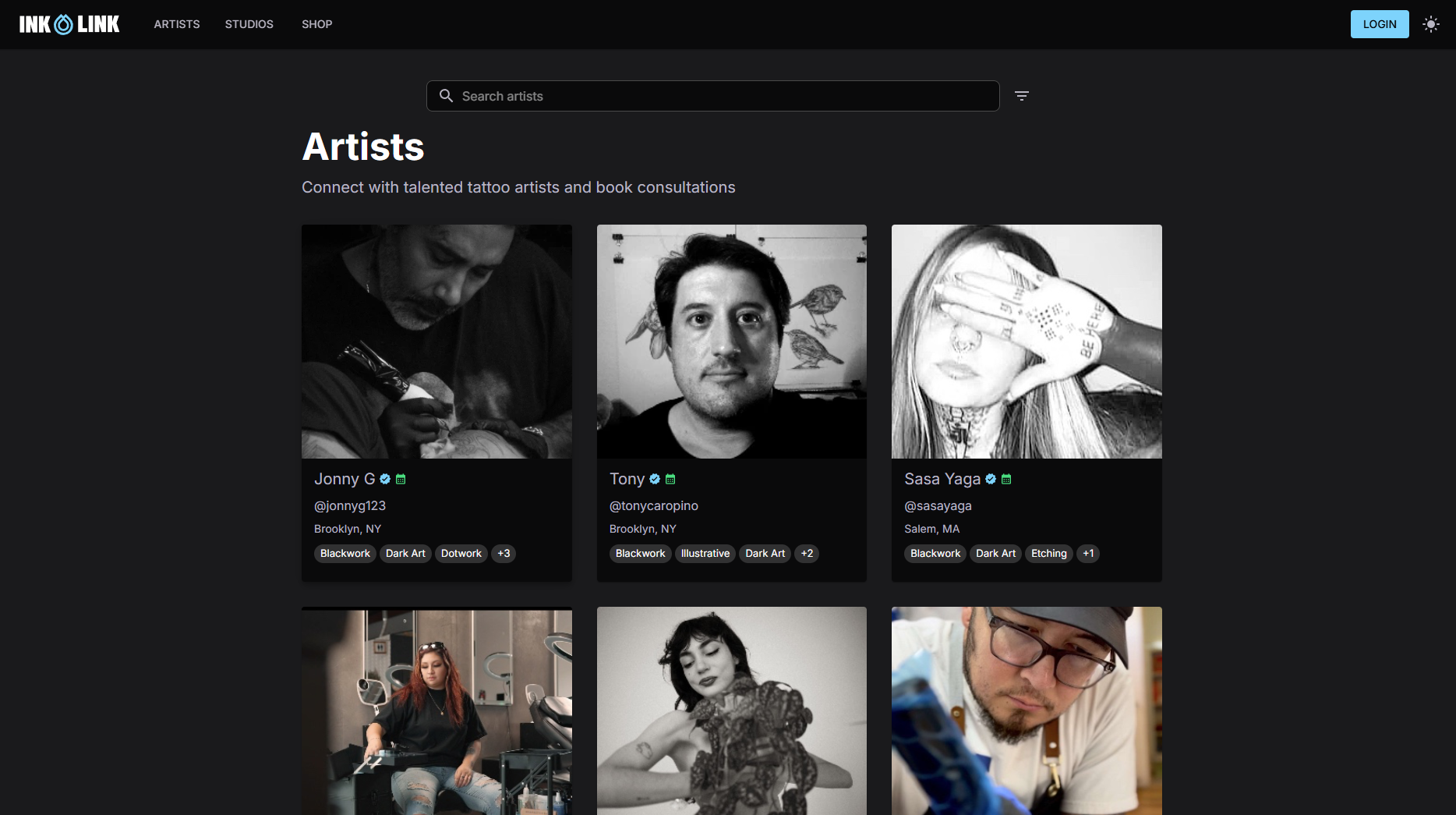
Studios on Ink link set up resource categories, define service requirements, and go live with a mobile-ready booking page that clients can use in under 30 seconds. Whether you run a solo operation or a multi-artist shop, the platform scales to fit your workflow. You can explore how real studios use the platform by browsing active studio profiles on Ink link, or head straight to myinklink.io to see how your studio fits in.
FAQ
What is collaboration booking in a tattoo studio?
Collaboration booking is a scheduling method that reserves multiple resources, such as artists, stations, and rooms, simultaneously within a single appointment. The system checks real-time availability for all required resources before confirming the booking.
How does collaborative scheduling software prevent double bookings?
Effective collaborative scheduling software uses hard constraints to automatically block any appointment that conflicts with an existing reservation. Systems that only display availability without enforcing constraints are still prone to human error.
What are the main benefits of collaboration booking tools for small studios?
Small studios gain immediate benefits by consolidating staff, equipment, and room scheduling into one live system, replacing spreadsheets and manual tracking. Confirmation rates improve, coordination time drops, and the team gains full visibility into the daily schedule.
How long does it take to set up a collaboration booking system?
Setting up a shared booking system typically takes about one week, covering the audit, policy definition, configuration, and launch phases. The audit phase, where you map all studio resources into standard categories, is the most time-consuming part.
Do I need to manage booking requests and deposits separately?
Most collaboration booking platforms handle deposit collection as part of the confirmation flow. Ink link, for example, lets you attach deposit requirements directly to service types so clients pay at the time of booking without any manual follow-up from your team.