Appointment Confirmation Workflow for Tattoo Studios
TL;DR:
- Implementing multi-stage automated appointment confirmations helps tattoo studios reduce no-shows and saves staff time. Each message in the sequence provides specific information, educates clients, and builds trust, leading to better attendance. Proper content, timing, and response paths are essential for an effective workflow that enhances client experience and operational efficiency.
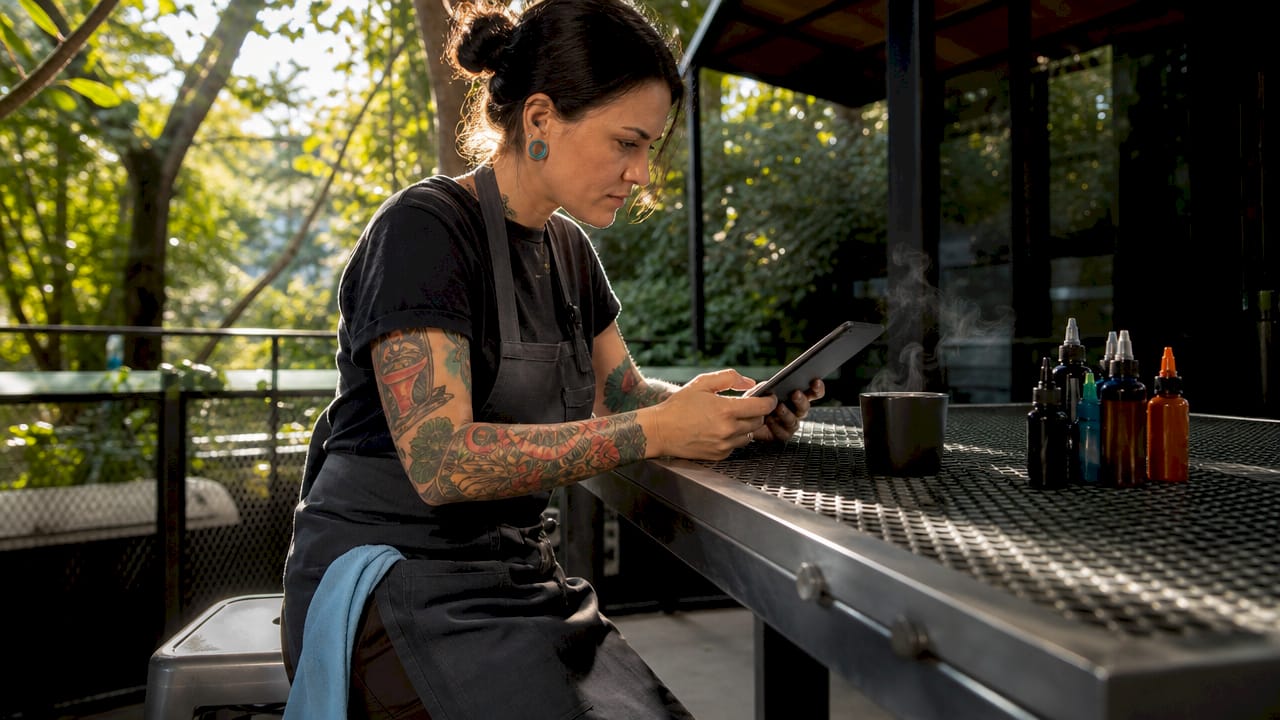
An appointment confirmation workflow is the automated sequence that verifies a client’s booking, delivers preparation instructions, and sends timed reminders to protect your studio’s schedule. For tattoo studios, this process is not optional. A missed session wastes artist time, blocks revenue, and leaves a chair empty that another client could have filled. Forgetfulness drives about 27% of missed appointments, and a well-built confirmation system addresses that directly. Studios using multi-stage automated reminders see measurable drops in no-shows and spend less time chasing clients by phone. Ink link’s booking platform is built around exactly this kind of workflow, giving studios the tools to communicate clearly from the moment a booking is made.
What does an appointment confirmation workflow include?
An appointment confirmation workflow is a structured, multi-stage communication sequence. It starts the moment a client books and continues through same-day logistics. The goal is not just to remind clients. It is to educate them, reduce their anxiety, and make showing up the easiest choice they make that day.
The industry term for the full process is “appointment reconfirmation workflow,” which covers more than a single confirmation email. It treats each touchpoint as part of an operational sequence. Successful studios use a multi-stage approach: an immediate confirmation, a mid-point reminder, and a same-day reconfirmation focused on logistics. Each stage serves a different purpose and requires a different tone.
Tattoo appointments carry unique stakes. Sessions can run two to six hours, deposits are often collected upfront, and preparation matters for the quality of the work. A client who arrives dehydrated, sunburned, or without proper ID creates real problems. Your confirmation sequence is the best tool you have to prevent those situations before they happen.
What tools do you need to build a confirmation system?
The right tools remove manual work from your team and replace it with consistent, automatic communication. Automated systems save staff an estimated 5 to 15 hours per week on booking, reminders, and confirmations. That is time your front desk can spend on clients who are already in the studio.
The core technology stack for a tattoo studio confirmation workflow includes four categories of tools. Each one handles a specific part of the process.
| Tool category | Function | Why it matters for tattoo studios |
|---|---|---|
| Booking platform | Captures appointments and triggers confirmation sequences | Creates the starting point for every automated message |
| SMS and email automation | Sends timed reminders without manual input | Reaches clients on the channel they actually check |
| Calendar sync | Updates artist and studio calendars in real time | Prevents double-booking and keeps the team aligned |
| Client records (CRM) | Stores session notes, deposit status, and preferences | Personalizes messages and tracks confirmation responses |
Effective scheduling systems send confirmation emails, SMS notifications, calendar invites, and staff notifications automatically without any manual work. That level of automation is the standard you should hold your tools to.
Beyond the technology, you need templates. A confirmation email template for a tattoo session should include the artist’s name, the session date and time, the studio address, parking details, preparation instructions (moisturize, eat beforehand, wear loose clothing), and a direct contact number. Generic templates miss these specifics and leave clients with unanswered questions. Unanswered questions become no-shows.
Ink link handles booking and calendar management in one place, connecting the booking event directly to the reminder sequence so nothing falls through the gap between systems.
How to set up a step-by-step confirmation workflow
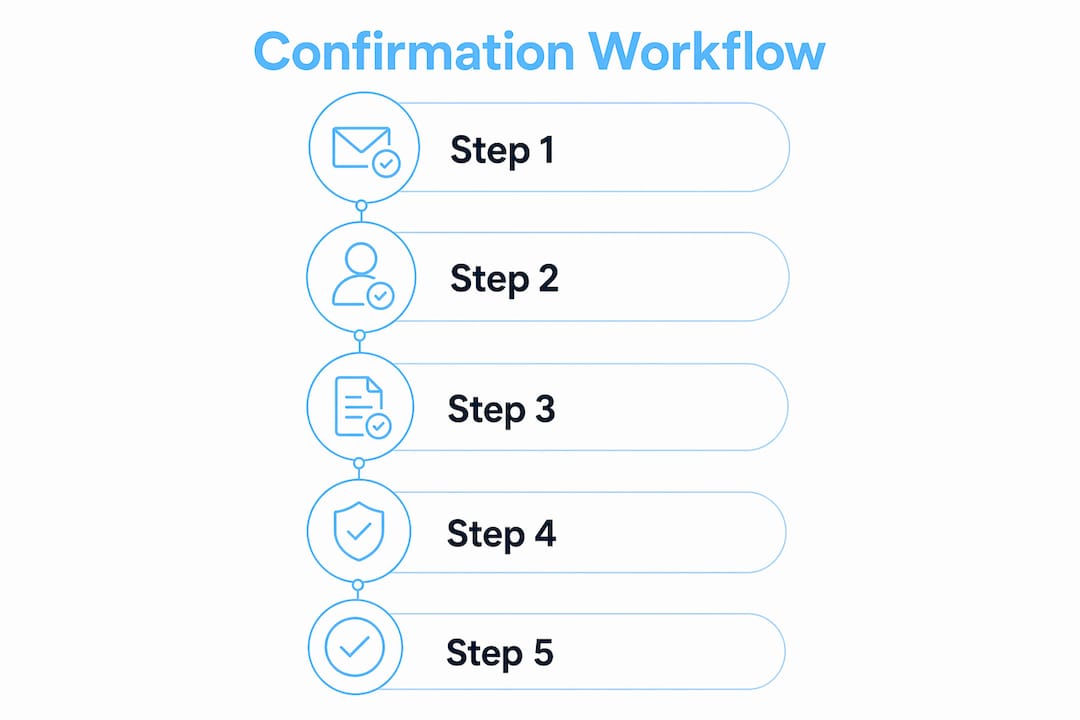
Building a confirmation workflow for your tattoo studio follows a clear sequence. Each step has a specific timing, purpose, and message tone. Here is the full process.
Step 1: Immediate booking confirmation (within 5 minutes of booking)
Send a confirmation the moment a client books. Automated confirmations sent immediately see open rates 20% higher than delayed messages. That open rate matters because an unread confirmation is the same as no confirmation at all. This first message should include the session date, time, artist name, studio address, and deposit confirmation if one was collected. Keep it warm and direct. The client just made a decision they are excited about. Match that energy.
Step 2: Preparation reminder (48–72 hours before the session)
This message does the heaviest lifting in your workflow. Its job is to educate the client before they arrive. Include specific preparation instructions: stay hydrated, eat a full meal before the session, avoid alcohol for 24 hours, moisturize the area being tattooed, and wear clothing that gives the artist easy access to the placement site. If the client needs to review or sign intake forms, include a link here. This is also the right moment to remind them of your cancellation and rescheduling policy. Doing it 48–72 hours out gives them time to act without feeling pressured.
Step 3: 24-hour attendance confirmation
Send a short message asking the client to confirm they are still coming. Keep it simple: “Your appointment with Artist Name] is tomorrow at [Time]. Reply YES to confirm or call us to reschedule.” This step creates a small, low-friction conversation. [Reconfirmation should function as an operational sequence, not just a reminder. It gives clients a clear path to confirm, reschedule, or ask for help, and it gives your team a clear picture of who is actually showing up.
Step 4: Same-day logistical reconfirmation (2–3 hours before)
Same-day reconfirmation focuses on convenience details like parking, arrival time, and who to ask for at the front desk. This message should not feel like enforcement. It should feel like a helpful nudge from a studio that has its act together. Keep it under 100 words. Something like: “See you today at [Time]. Park on [Street], come in through the main entrance, and ask for [Artist Name]. We’re looking forward to it.”
Step 5: Handle responses and update your records
Every response a client sends needs a clear next step. A YES confirmation updates their status in your system. A cancellation triggers your deposit policy and opens the slot for rebooking. A reschedule request should route to a direct link or phone number. Automating booking and confirmation processes creates a standardized client experience that supports consistent studio operations. If your system cannot log client responses automatically, assign one team member to monitor replies each morning.
Pro Tip: Write every confirmation message as if the client is reading it on their phone while distracted. Short sentences, bold key details like time and address, and one clear call to action per message. Clients who can scan a message in ten seconds are far more likely to act on it.
For studios managing deposits and booking requests, the Ink link artist booking guide covers how to communicate session details and deposit terms clearly from the first touchpoint.
What causes confirmation workflows to fail?
Even a well-designed workflow breaks down without the right execution. The most common failure points are predictable, and each one has a fix.
-
Sending too many messages. Clients who receive five reminders for a single appointment start ignoring all of them. Three to four touchpoints is the right range for most tattoo sessions. More than that reads as spam.
-
Generic message content. A confirmation that says “Your appointment is confirmed” and nothing else does not prepare the client or reduce their anxiety. Every message should answer at least one question the client has not thought to ask yet.
-
No clear response path. If a client wants to reschedule and your message gives them no way to do it, they will simply not show up. Every reminder should include a phone number, a link, or a reply option.
-
Delivery failures you are not tracking. SMS messages fail. Emails land in spam. If you are not monitoring delivery rates and open rates, you do not know whether your workflow is actually reaching clients. Set a weekly check on message delivery data.
-
Ignoring the confirmation response. A client who replies YES and then gets no acknowledgment feels like they are communicating into a void. A simple automated reply (“Great, we’ll see you then!”) closes the loop and reinforces trust.
-
Timing that does not match client behavior. Sending a 48-hour reminder at 11 PM means it gets buried by morning. Schedule messages to arrive between 9 AM and 6 PM in the client’s local time zone.
Tracking the right metrics tells you where your workflow is losing people. Watch confirmation rates (the percentage of clients who actively reply YES), open rates for each message stage, and no-show rates by session type. If your 24-hour reminder has a low open rate, test a different send time. If your no-show rate stays high despite confirmations, look at your message content. Workflows built around client questions rather than internal needs consistently outperform those built around studio convenience.
What should your confirmation messages actually say?
The content of your messages matters as much as the timing. Effective workflows deliver value by including preparation instructions and clear visit details that reduce confusion before it starts. Clients preparing for a tattoo session have real questions: What should I wear? Should I eat first? Where do I park? Your messages should answer those questions before the client has to ask.
The table below shows how to match message content to each stage of the confirmation sequence.
| Timing | Message focus | Key content to include |
|---|---|---|
| Immediate (at booking) | Excitement and logistics | Date, time, artist name, address, deposit receipt |
| 48–72 hours before | Preparation and policy | Prep instructions, intake form link, cancellation policy |
| 24 hours before | Attendance confirmation | Simple YES/NO prompt, reschedule link, contact number |
| Same-day (2–3 hours out) | Convenience and welcome | Parking, arrival instructions, who to ask for |
Branding consistency across all four messages builds trust. Use the same studio name, the same tone, and the same contact information in every message. Clients who receive inconsistent communication from different numbers or email addresses get confused and lose confidence in the studio.
A strong confirmation email template for a tattoo session opens with the client’s first name, states the key details in the first two lines, and ends with one clear action. For the 48-hour message, that action is reviewing the preparation instructions. For the 24-hour message, it is replying to confirm. Keep each message focused on one purpose. Splitting attention across multiple asks reduces the chance the client acts on any of them.
Preparation reminders also serve a secondary function. Clients who arrive well-prepared sit better, heal faster, and have a more positive experience overall. That experience drives referrals. The skin preparation process matters for tattoo quality just as it does in other body treatments, where timely reminders aid client preparation and reduce last-minute complications. Your confirmation sequence is doing double duty: protecting your schedule and improving your work.
Key Takeaways
A multi-stage appointment confirmation workflow is the most reliable way for tattoo studios to reduce no-shows, protect artist time, and deliver a professional client experience.
| Point | Details |
|---|---|
| Start immediately | Send a booking confirmation within 5 minutes to capture the highest open rates. |
| Use four stages | Immediate, 48-hour prep, 24-hour attendance, and same-day logistics cover every client need. |
| Build in a response path | Every message needs a clear way for clients to confirm, reschedule, or ask questions. |
| Track delivery and open rates | Monitor message performance weekly to catch failures before they become no-shows. |
| Match content to timing | Each message should answer the question the client has at that specific moment. |
What I’ve learned from watching studios get this right and wrong
Running a tight confirmation process is one of those things that looks simple from the outside and turns out to be surprisingly hard to execute consistently. The studios that get it right are not necessarily the ones with the most sophisticated tools. They are the ones that treat confirmation as a conversation, not a broadcast.
The biggest mistake I see is studios building a workflow around what is convenient for them rather than what the client actually needs to know. A message that says “Don’t forget your appointment tomorrow” is technically a reminder. It is not a useful one. The client still does not know where to park, what to wear, or whether they need to bring anything. That gap between sending a message and actually preparing the client is where no-shows are born.
The studios that have genuinely cut their no-show rates are the ones that put preparation instructions front and center in the 48-hour message. They treat that touchpoint as a mini client education session. When clients arrive knowing exactly what to expect, they are calmer, more cooperative, and more likely to come back. That is not a soft benefit. It shows up directly in rebooking rates and referrals.
The other thing I have noticed is that personalization does not have to be complicated. Using the client’s first name and the artist’s name in every message is the minimum. Studios that go one step further and reference the specific piece being worked on (“We’re looking forward to finishing your sleeve tomorrow”) create a moment of genuine connection. That kind of message does not feel like automation even when it is.
The operational case for a multi-stage workflow is clear. The creative case is just as strong. Every touchpoint before a session is a chance to build the relationship that keeps clients coming back.
— Matthew
Ink link makes appointment confirmations automatic
Tattoo studios that manage bookings manually spend hours every week on tasks that a purpose-built platform handles in seconds. Ink link is built specifically for tattoo artists and studios, with booking, calendar management, and client communication in one place.
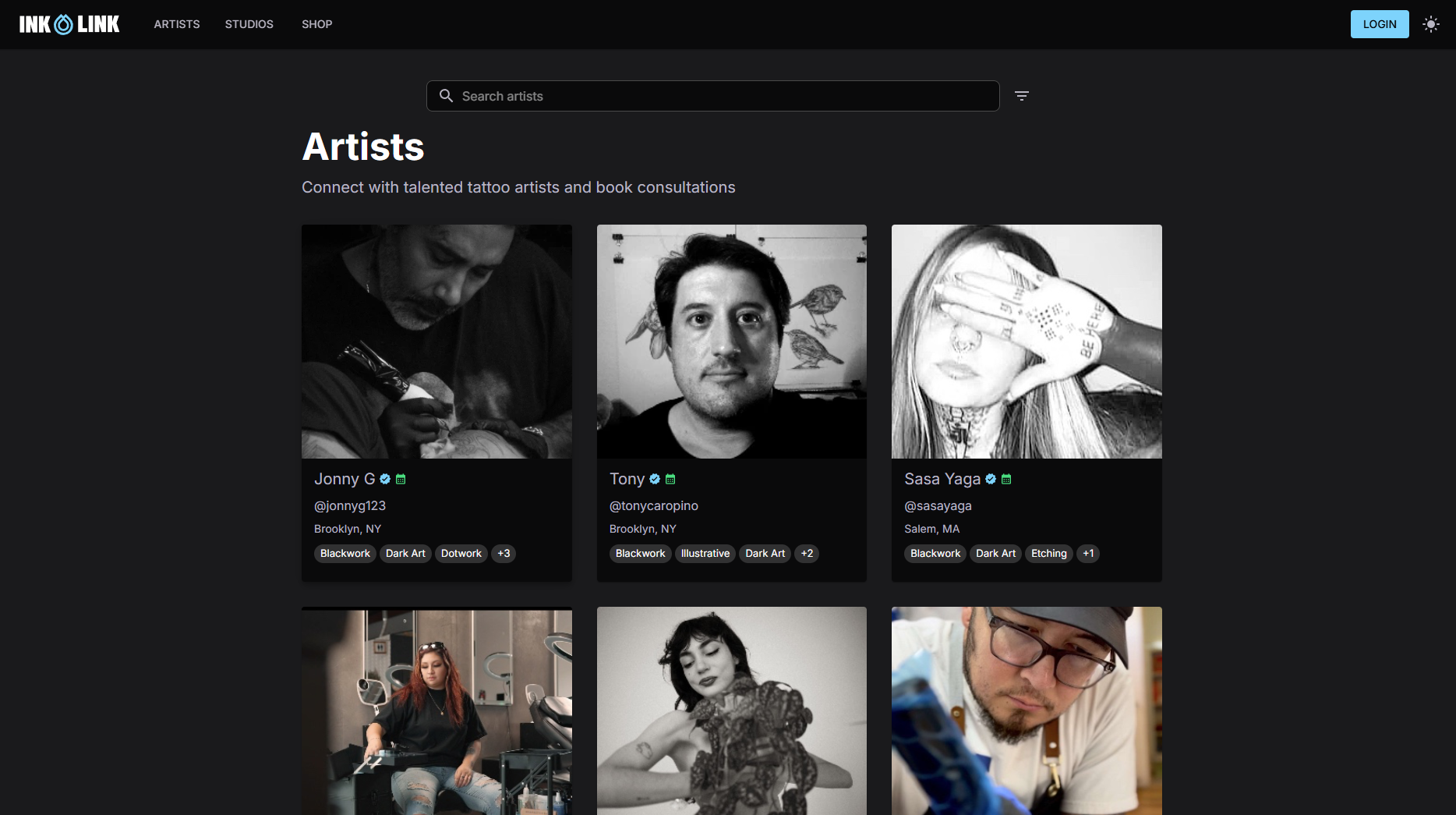
Studios on Ink link get automated confirmation sequences that trigger the moment a client books, with no manual setup required for each appointment. The platform handles the appointment scheduling process from first booking to same-day reminder, keeping your artists focused on their work and your clients informed at every step. If you want to see how a studio runs its bookings through Ink link, the Riders on the Storm Tattoo Art Shop profile shows the platform in action. Getting your studio set up takes less time than chasing down a single no-show by phone.
FAQ
What is an appointment confirmation workflow?
An appointment confirmation workflow is an automated sequence of messages sent after a client books, designed to confirm the appointment, deliver preparation instructions, and reduce no-shows through timed reminders.
How many reminders should a tattoo studio send before an appointment?
Three to four messages is the right range: an immediate confirmation, a 48-hour preparation reminder, a 24-hour attendance confirmation, and an optional same-day logistics message.
What should a tattoo appointment confirmation email include?
A confirmation email template for a tattoo session should include the artist’s name, session date and time, studio address, parking details, preparation instructions, and a contact number for questions or rescheduling.
Why do clients still miss appointments even with reminders?
Forgetfulness accounts for about 27% of missed appointments, but generic messages that do not ask for a response or provide a reschedule option also contribute. Workflows that require a YES reply see better attendance than passive reminders.
How does automated appointment confirmation save studio time?
Automated systems save staff an estimated 5 to 15 hours per week by handling booking confirmations, reminders, and client responses without manual follow-up, freeing your team for in-studio work.